Manage Stakes with DAI Staking dApp
Leverage the DAI staking dApp for streamlined management of your stakes. This guide provides a step-by-step walkthrough for using the dApp on both Anubis testnet and mainnet.
Connect Wallet
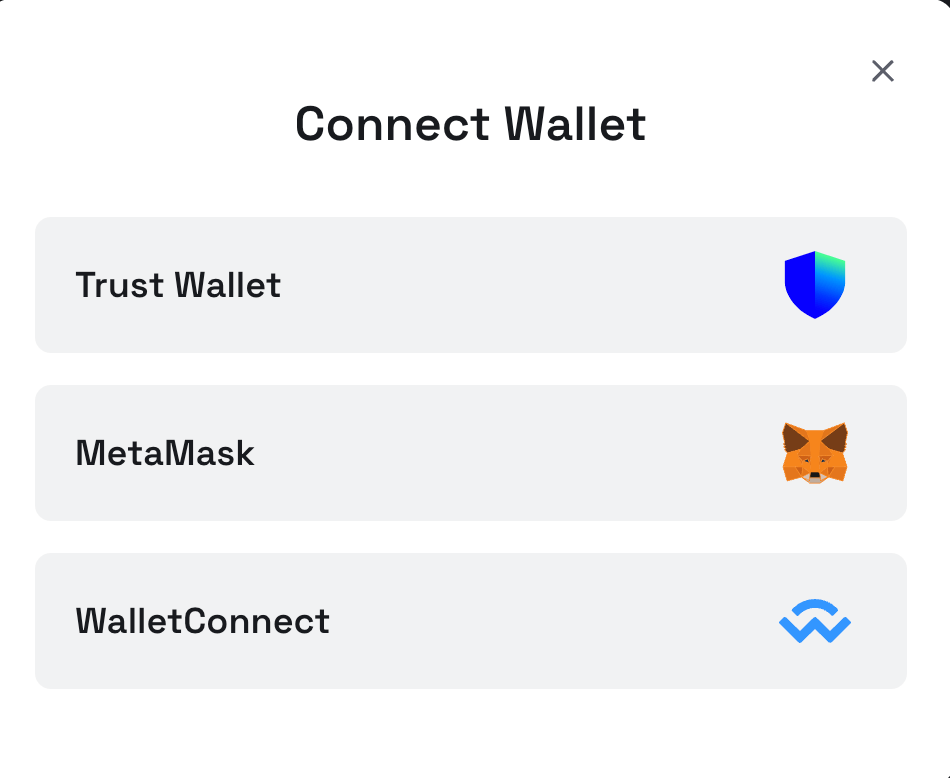
To interact with the dApp, first connect your web3 wallet. Currently, TrustWallet (mainnet only) and MetaMask are supported, along with any wallets compatible with WalletConnect.
Delegate Stakes
- Select a validator to delegate your stakes to. Detailed information about each validator is available on their respective pages.
-
Click the
Delegatebutton to initiate a new delegation.
-
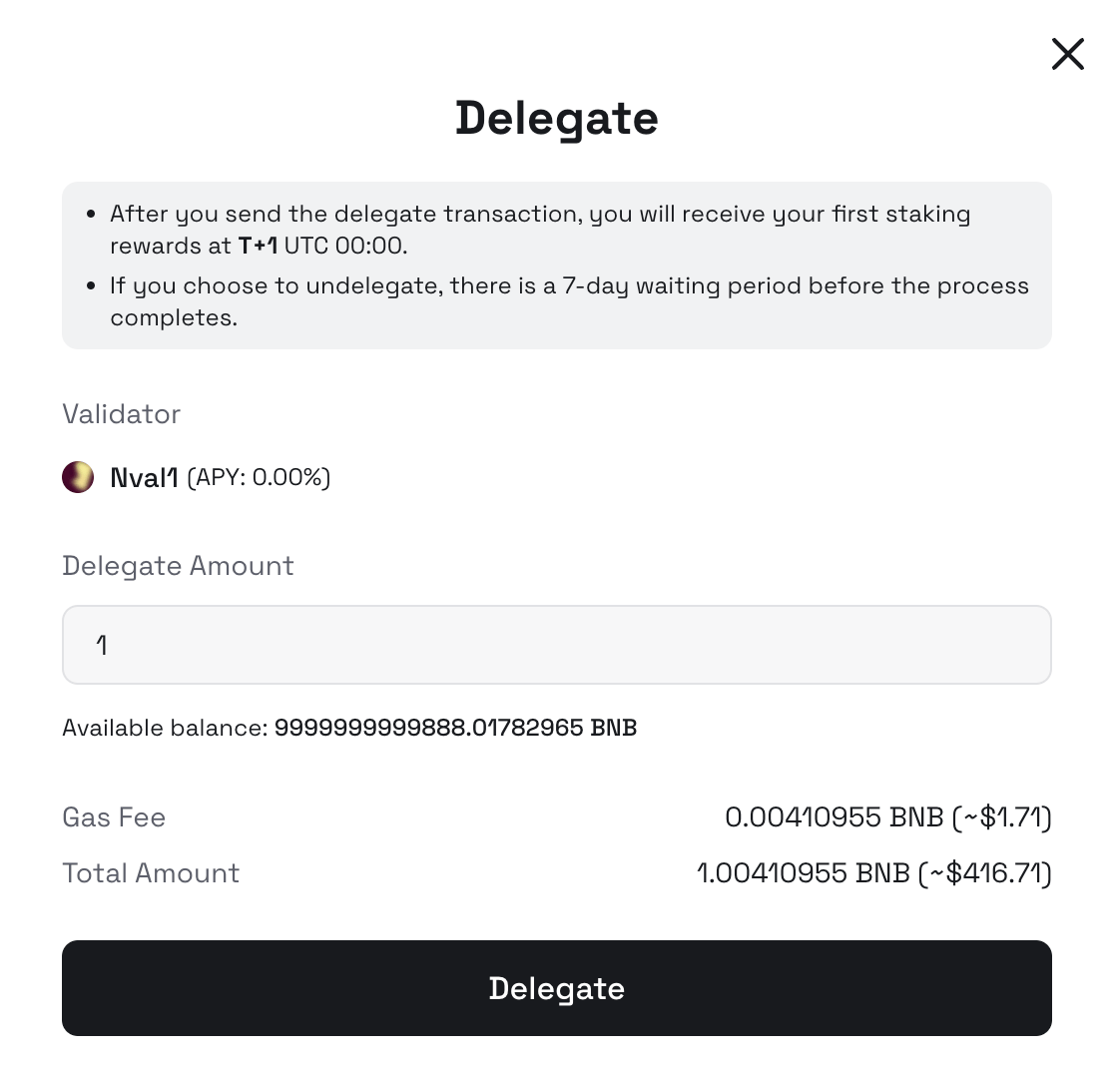
Enter the amount of DAI you wish to delegate.
-
After confirming the delegation, your connected wallet will prompt you to sign the transaction. Successful transactions will be visible in the
My Stakingpage, complete with transaction hash.
Redelegate Stakes
On the My Staking page, you can manage your existing delegations.
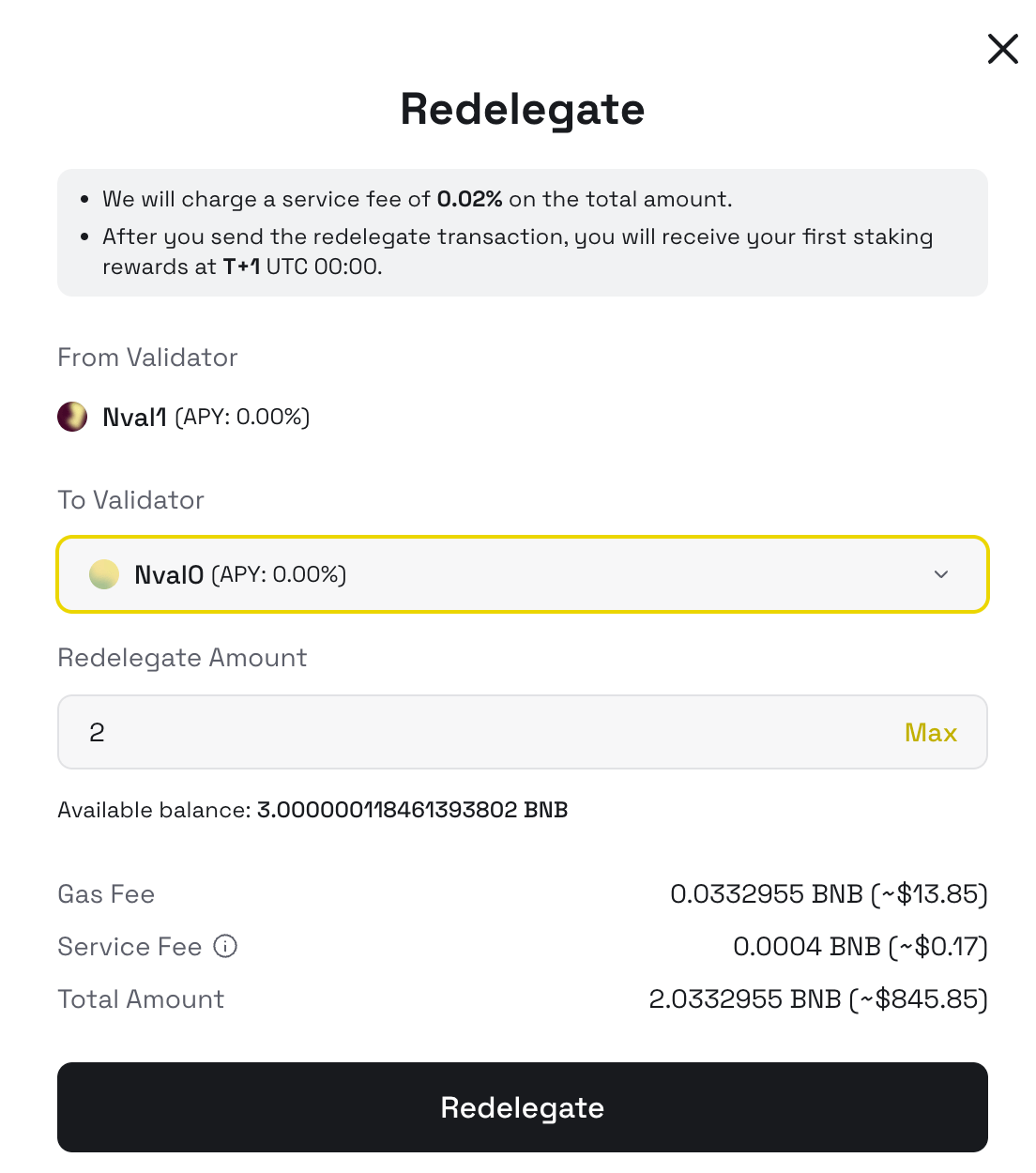
Note: A redelegation fee of 0.002% applies to discourage frequent switching between validators.
-
Click
Redelegateto shift your stake to a different validator.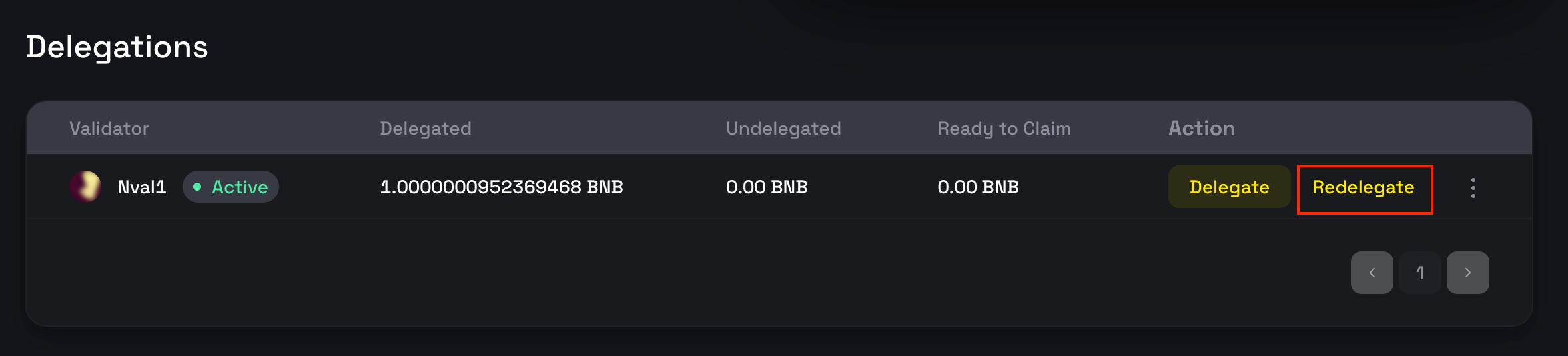
-
In the ensuing popup, select your new validator and specify the amount to redelegate. You can opt to move the entire amount or just a portion.
Undelegate Stakes
To claim your stakes and rewards, you need to undelegate.
-
Click the
Undelegatebutton next to the relevant delegation.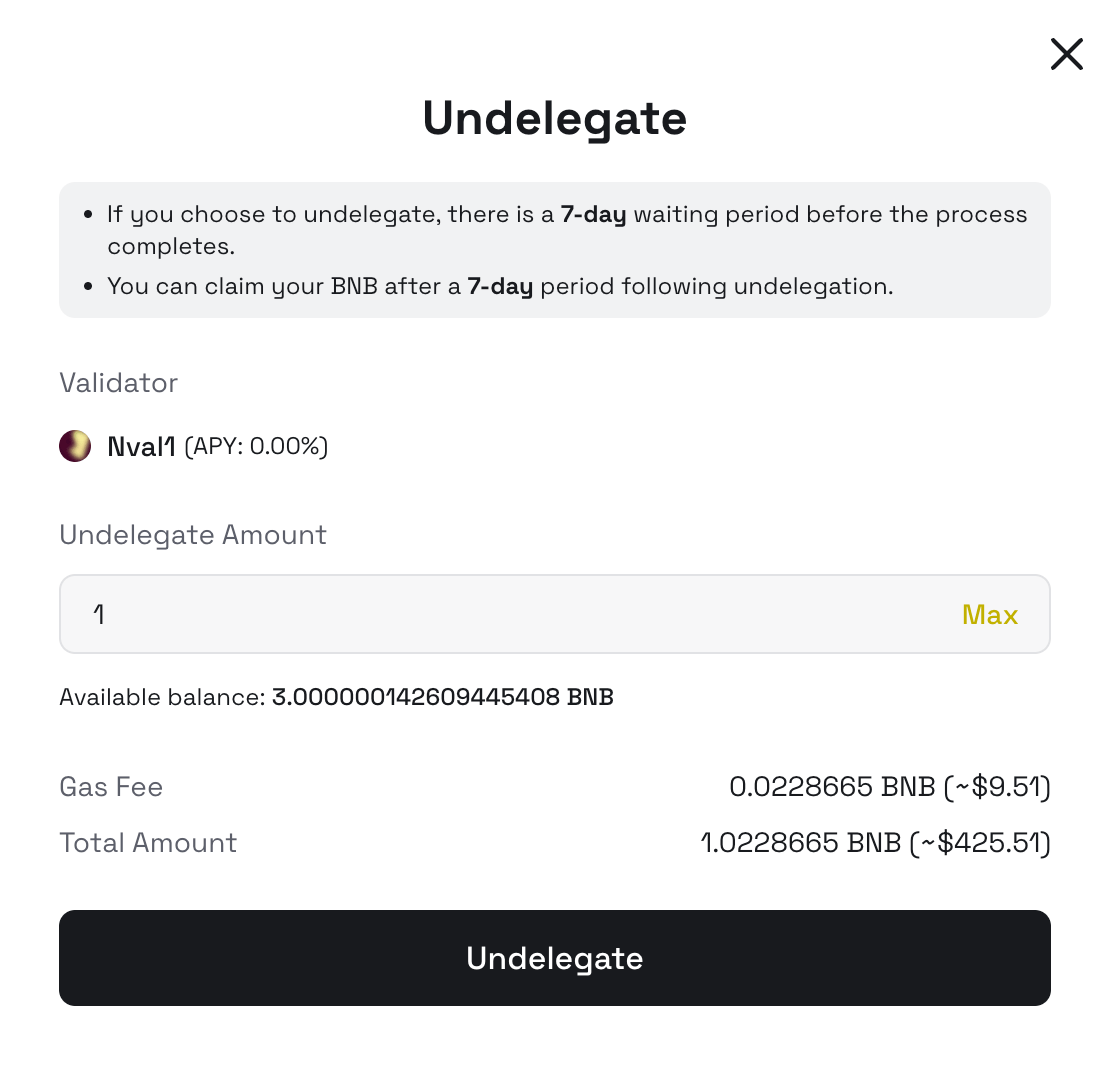
-
You can choose to undelegate the entire amount or a portion. Note that undelegated stakes are subject to a 7-day unbonding period before they are returned to your account.
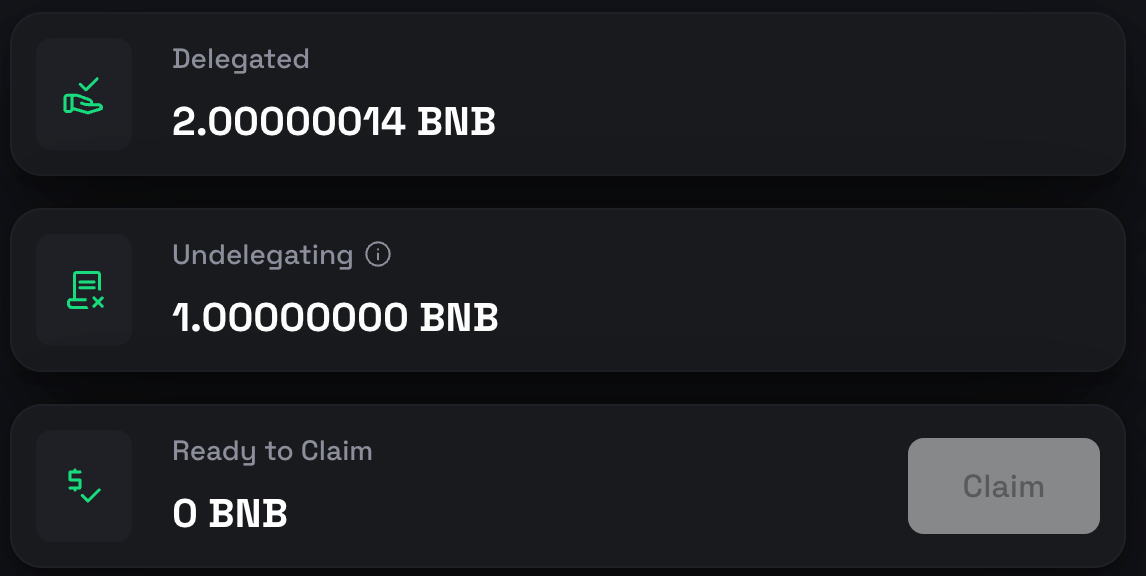
Claim Stakes
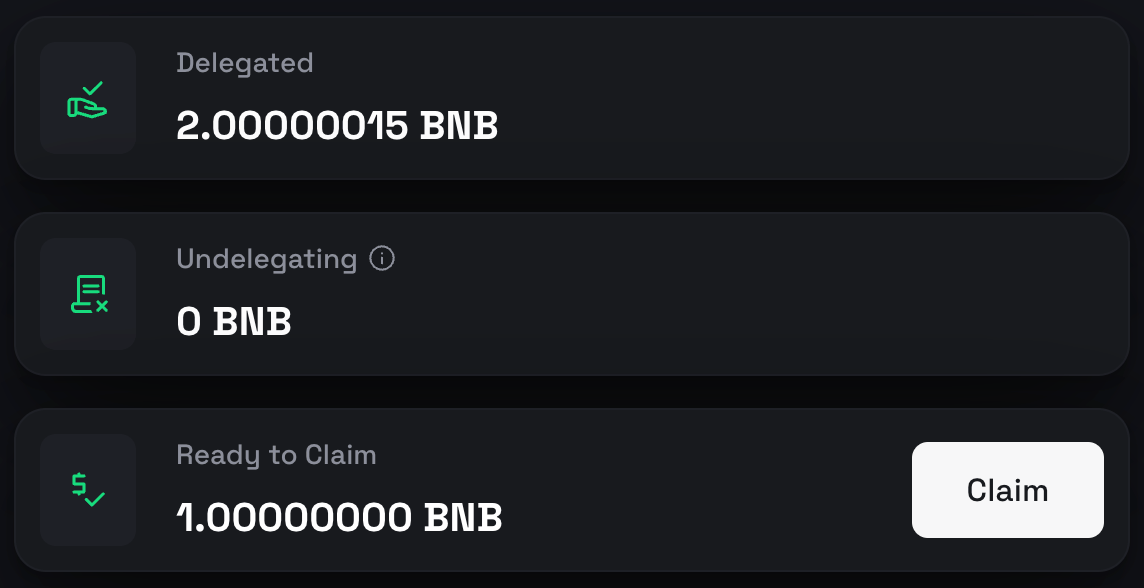
After the unbonding period, you can claim your stakes by clicking the Claim button.
FAQs
Q1: Which wallet can be used to delegate to validators?
Currently, MetaMask and TrustWallet are supported, along with any wallets compatible
with WalletConnect.
Q2: Can I delegate/undelegate/redelegate/claim stakes on explorers?
If you want to do the aforementioned delegate/undelegate/redelegate/claim operations on Anubis Browser, you should call the staking hub contract in the following URLs: * Anubis Browser Stake Hub
Q3: What is staking credit (stDAI)?
When you delegate DAI to a validator, you receive staking credit tokens as proof of your stake. Each validator issues its own unique credit token:
Token Naming:
- Name: Stake{{validator moniker}}Credit
- Symbol: st{{validator moniker}}
Key Properties:
- ✅ Represents your staked DAI + accumulated rewards
- ✅ Auto-compounding: value increases as validators earn rewards
- ✅ Rewards automatically distributed when you undelegate
- ❌ Non-transferable between addresses and each validator’s credit is unique
Q4: How to calculate my staking balance?
Your staking credit value in DAI can be calculated using:
Your DAI Value = (stCreditAmount × totalPooledAGT) ÷ totalSupply()
Where:
stCreditAmount: Your staking credit balancetotalPooledAGT: Total DAI in validator’s pool (stakes + rewards)totalSupply(): Total supply of the validator’s staking credit
Example:
| Time | totalPooledAGT | totalSupply | Your stCredit | Your Value | Profit |
|---|---|---|---|---|---|
| Day 1 | 10,000 DAI | 10,000 | 100 | 100 DAI | - |
| Day 30 | 11,000 DAI | 10,000 | 100 | 110 DAI | +10 DAI (10%) |
Your staking credit automatically appreciates as the validator earns block rewards!
Q5: How to query total pooled DAI programmatically?
Use this JavaScript example to query a validator’s total pooled DAI:
import { ethers } from 'ethers';

const provider = new ethers.JsonRpcProvider('https://rpc.anubispace.org');
const OPERATOR = '0x...'; // validator operator address

const hub = new ethers.Contract('0x0000000000000000000000000000000000002002',
  ['function getValidatorCreditContract(address) view returns (address)'], provider);

const creditAddr = await hub.getValidatorCreditContract(OPERATOR);
const credit = new ethers.Contract(creditAddr,
  ['function getPooledAGT(address) view returns (uint256)'], provider);

const bnb = await credit.getPooledAGT(OPERATOR);
console.log('Pooled DAI:', ethers.formatEther(bnb));